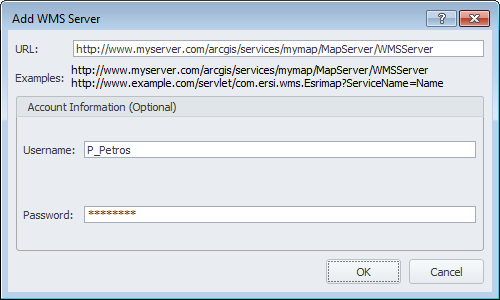
Include georeferenced maps that are served over the Internet into AccuMap by specifying the server details. These maps are typically served using an ArcGis or Geomedia server.
Specify the server URL and logon details, and then select the specific layers from that server to display in the AccuMap Layer Legend for all AccuMap maps.
The Layer Legend setting, Display High Resolution Images is disabled for WMS layers.
The Setup WMS Layers dialog box appears.
The layers from which you can select appear in the Select WMS ... pane.
 Related Topics