Query Log Responses
- Select Log Response Query (
 ), which appears in the Tools group of the Lists/Selections tab.
The Launch Log Response Query dialog box appears.
- Select the well list, and then click Launch.
The Log Response Query dialog box appears..png)
- From the Hub item that appears in the LAS group of the Home tab, select Load Logs from IHDC Hub. You can also batch link proprietary LAS files. The Log Response Query dialog box can mix Hub binary logs and proprietary LAS files
Wells for which logs are downloaded from the hub that are updated on the map are colored red. Digital logs are permanently stored in Your User Data Folder\LogResponseQueryUserData\BinaryLogs\Wells\ for future use, so next time you launch the Log Response Query dialog box with the same well list you don't needed reload digital logs from IHDC Hub.
- Set the From and To fields in the Zone of Interest group.
- Using the Log Response Query Criteria, click either Edit to change the existing query string, or click Add to create an additional query statement. For example, GR < 75 (low radiation rock with less than 75% API units) as one query statement, and DPHI-SS > 6 (apparent density porosity greater than 6%) as the second query statement. Or can also be used as a Boolean operand.
- Click Run Query.
A contour map appears with posted values and thickness to match your query.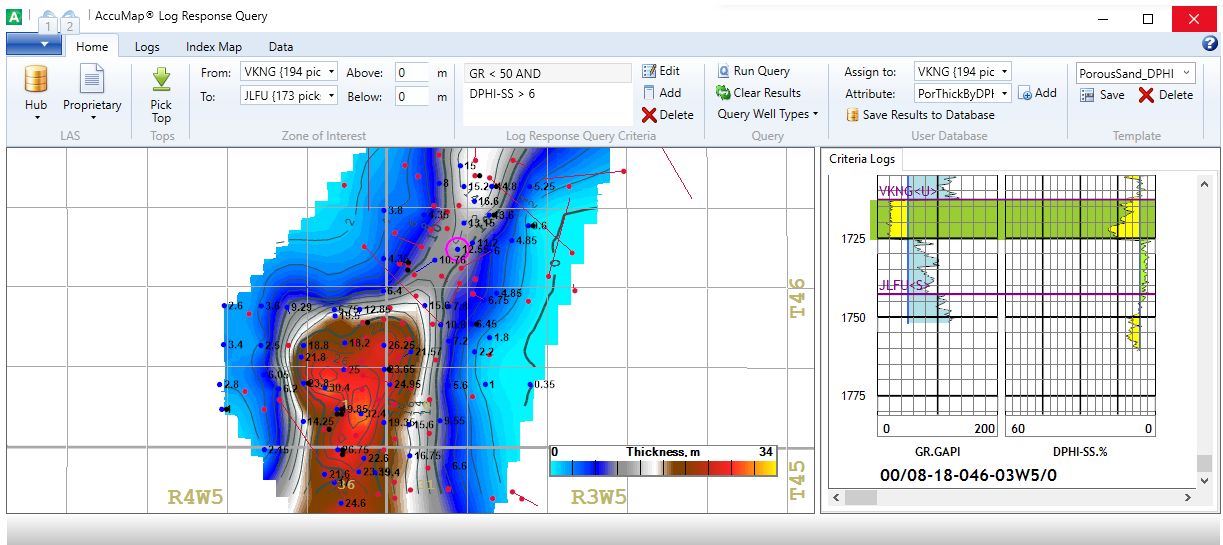
- Using the User Database group in the Home tab, select a formation to which to assign these values, click Add to display the Add Attribute dialog box where you define an attribute name and column or row format for the data, which defines how the attributes are presented in AccuMap. This attribute data can be contoured and posted on the main AccuMap map.
- Double-click a well on the map to display it in the Subject Well Criteria Logs pane in measured depths with highlighted thickness strips or flags. Using the map, right-click a well and from the context menu, select Clear Well Query Result before saving results to the database. You can also delete binary logs or detach linked LAS for a well.
- Click Save Results to Database.
- Using the Data tab, click Export Results.
- Create a contour map that uses the CutoffThickness value found in the above .csv file as its source.
- Using MD digital logs, the Log Response Query functionality calculates the MD-Thickness in a defined Zone of Interest. For Vertical wells, this value is used as the TVD-Thickness. For Dir/Dev and Horizontal wells, before posting values on the Log Response Query map and saving to the user tops database, the MD-Thickness is converted to TVD-Thickness using the following average correction ratio for ZOI: TVD-Thickness = Correction Ratio * MD-Thickness, where Correction Ratio = TVD-ZOI-Range/MD-ZOI-Range
By default, Log Respones Query uses Vertical type wells. You can incorporate Dir/Dev and Horizontal wells in calculations using the Query Well Types combo box. When choosing to add Horizontal wells to the analysis, consider that in the majority of horizontal wells (especially in the lower part of the well) some digital logs are recorded using Logging While Drilling (LWD) tools, not regular wireline logging tools.
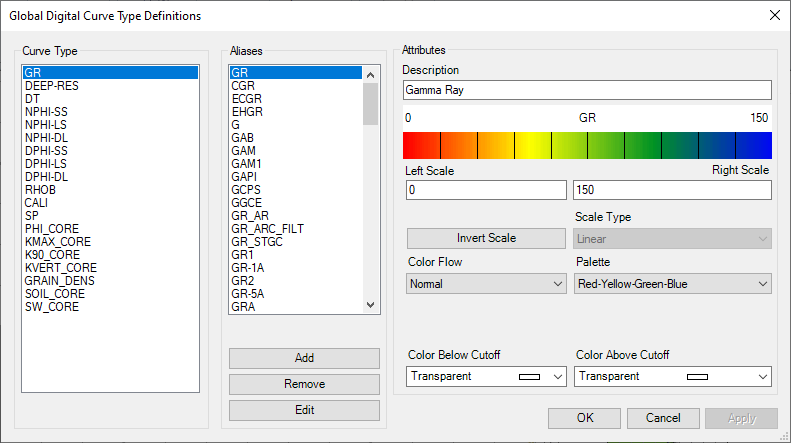
In the Criteria Logs pane, the GR curve is usually displayed in the scale section with its original units as GR.API or GR.GAPI. When it appears as GR.API<UR/H, for example, that means the Log Response Query dialog box converted the old GR units to API units using 11.7 as a multiplier. This conversion is applied if the GR original units are not equal to API or GAPI and it statistically looks like an old log. Log Response Query does not convert GR for units such as CPS and RU due to the unknown equation, or for horizontal wells (where it is too hard to statistically recognize old units due to their low dynamic range).
In some old exploration areas, there are no modern porosity logs to run a porosity related query; however, the majority of wells have a core analysis. Using the same well list you can batch generate Core LAS files, batch link them to wells using the Log Response Query dialog box, and then generate robust query results as shown below..png)