Switching Export Datums
The datum used affects the placement of spatial elements. Switch the datum used to export Canadian data between NAD27 and NAD83.
Because exported data may be used by a number of third-party applications, AccuMap provides several datum and grid combinations. Datum information isn't written to the file header because this may prevent other applications from being able to read the file. You may wish to specify the datum type in the file name of the exported file, or in the directory name into which the files are exported.
To switch export datums
- Using the Ribbon toolbar, from the File menu, click Settings (
 ).
).
The dialog box appears.
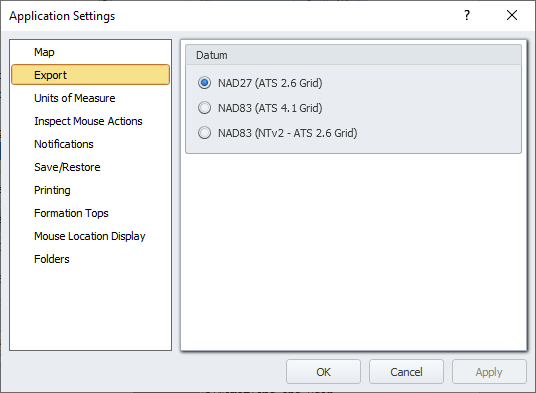
- Using the navigation pane, click Export, and then specify the datum based on the following:
- NAD27 (ATS 2.6 Grid) - US data is only available in NAD27 format, so if working with cross-border data, ensure the selected datum is NAD27.
- NAD83 (ATS 4.1 Grid) - All AccuMap vendor data exists in both NAD27 and NAD83 format.
- NAD83 (NTv2 - ATS 2.6 Grid) - For proprietary data that isn't available in the mode in which you're currently running, AccuMap converts it on the fly using the NTv2 conversion algorithm, but AccuMap doesn't change the original files.
- Click OK.
 Related Topics