 ) or the DataCard. If licensed for directional surveys, using Import Manager, import proprietary directional surveys for Canadian wells.
Directional surveys can be displayed using either the Inspect tool () or the DataCard. If licensed for directional surveys, using Import Manager, import proprietary directional surveys for Canadian wells.
AccuMap calculates missing true vertical depths using measured depths when querying, contouring, and posting user tops. Where a user KB is available, it is displayed colored red; otherwise the system KB is displayed colored black. System directional surveys in AccuMap are referenced as true north, not grid north.
The Dir Survey tab appears.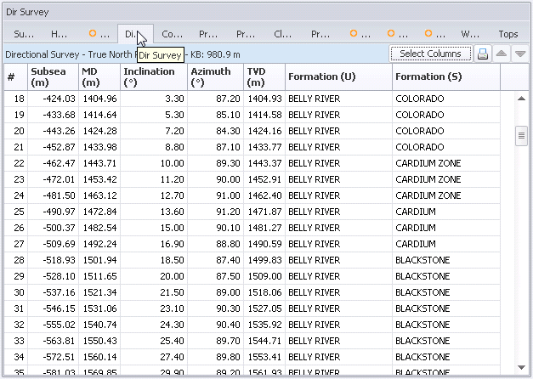
 ) or in the top-right of the Directional Survey tab
(
) or in the top-right of the Directional Survey tab
( ) to display a Print dialog box where you output this data to a printer or text file, or copy it to the clipboard and paste it into other applications.
 Related Topics