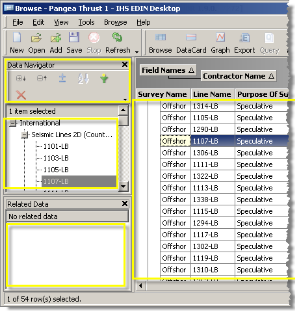
Data Navigator is the left pane that appears by default in the left portion of Output windows, but you can dock it in various places in the Output window.
Data Navigator works the same for all windows: it enables you to browse through results, selecting which ones to display in the adjacent display pane or to export to other windows. You can export the selected results to either a new window, or append them at the bottom of results that appear in an existing Output window.
Specify the order in which items are sorted beneath data groups by pressing CTRL while clicking the desired top to bottom order in which to display them and then select an Output window in which to display them in your preferred order. This order is maintained as you move data groups and items amongst various Output windows. To sort all of the items that appear in the Data Navigator in simple alphanumeric order instead, click  .
.
For Output windows, Data Navigator enables you to hide or delete specific data items from the display pane.