Display horizontal and vertical lines of the following type on the map:
Graticules - to denote lines of latitude longitude. The frequency of graticules can be changed for several standard map scales so that a given number of graticule lines appear between the latitude and longitude lines of your map when displayed at that scale.
X/Y - to estimate the size of objects on the map, such as contracts. Click for the default frequencies of divisions.
Display a border around your map on which grid labels appear. These labels include N/E orientation references and are included in printed maps, and maps saved in PDF, vector, or raster format.
To enable graticules or borders for printed maps, see Related topics below.
To display graticules or X/Y grids
From the Map menu, click either Graticule or X/Y Grid.
Horizontal and vertical lines appear in the Map window.
To change graticule or grid frequency and display
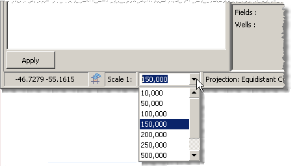
Select the map scale for which to apply the frequency using the Scale 1: drop-down list in the bottom-left of the Map window as depicted below.
1. From the Map menu, click Grid Preferences ( ).
).
The Grid Preferences: Graticule (Grid Preferences: X/Y) dialog box appears.
2. Select from the following options:
Set the frequency with which to display grid lines by selecting a unit and then specifying a value in the box to the left.
Select whether lines appear on the map, and if so, whether their unit measurements are listed in the horizontal and vertical margins surrounding the map. You can also click the View menu, and then click either Graticule or X/Y Grid Labels.
Select a style, color, and thickness.
Drag the slider to the right to reduce the opacity of the dialog box so that objects below the dialog box become visible.
3. Click OK.
| Setting basic map printing options | Setting advanced map printing options |