Custom Category Tasks
 Click to see Subtopics:
Adding a Custom Category
To add a custom category:
1. Click the Add
custom attribute/category ( ) icon,
then select Add Category.
) icon,
then select Add Category.
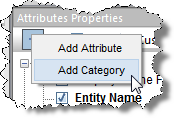
The Create Custom Category dialog box opens.
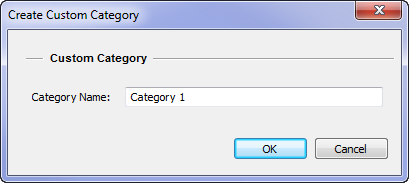
2. Enter a name; then click OK.
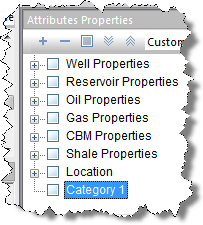
The category is displayed at the bottom of the Attributes Properties pane:
Deleting a Custom Category
You can delete custom categories, but not default categories.
To delete a custom category:
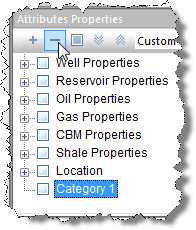
1. Click the custom category in the Attributes Properties list.
2. Click
the Remove custom attribute/category
( )
icon.
)
icon.
3. In the message box that opens, click OK.
The custom category is deleted.
Renaming a Custom Category
You can rename custom categories, but not default categories.
To rename a custom category:
1. Right-click the custom category, and select Rename...
2. Enter a new name, and click Enter; or click outside the name box.