Inflow Performance Relationship
An inflow performance relationship (IPR) can be created for any point in the forecast. The IPR is drawn using analytical solutions, and therefore will be primarily a single-phase representation of reservoir deliverability. Consequently, the IPR may not have the signature curve of two-phase equations (e.g., Vogel).
Note: Ensure that you have met the prerequisites prior to attempting this procedure.
1. Click the IPR icon ( ) on the toolbar.
A new IPR pane opens to the right of the Plot pane. An IPR is drawn automatically, and defaults to the first point in the forecast.
2. In the Plot pane, a dashed vertical line is also displayed. Drag the line to the point in the forecast where you want an IPR.
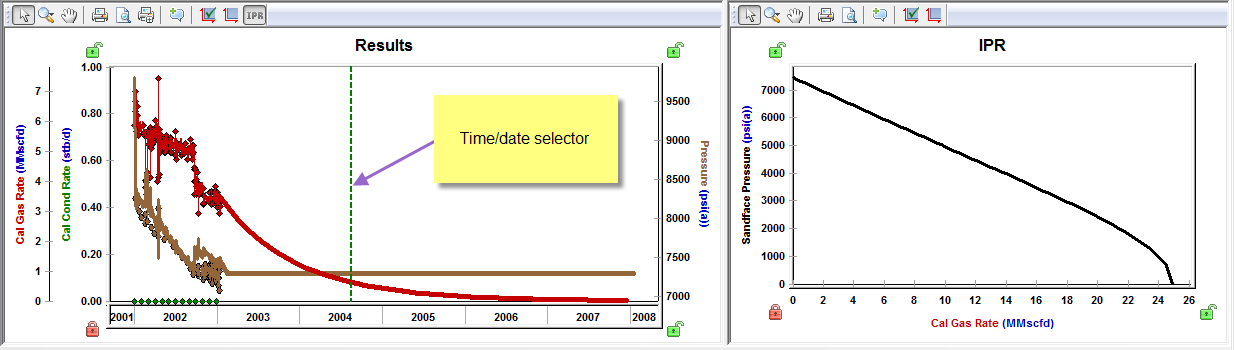
Note: The time / date selector locks onto each step in the forecast. Therefore, increasing the number of steps in the forecast allows for more precision in choosing the time at which the IPR is drawn.