Forecast Parameters (Hybrid Model)
 Click to see Subtopics:
In the Forecast pane there are several additional settings that can be used to customize the forecast.
This pane consists of the following three sections:
1. Forecast Options
2. Forecast Constraints
3. Forecast Results
Forecast Options
The Forecast Options section is where forecast periods are defined according to either durations (e.g., months), or dates.
- Setting the forecast time method to Duration begins a forecast at a specified start date. Forecast periods are then defined in the forecast table according to a length of time (the default is months). For each forecast period, different operating conditions can be specified.
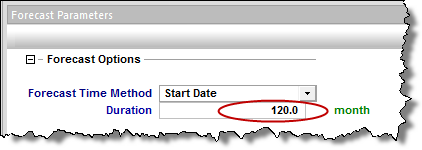
- Setting the forecast time method to Start Date creates a forecast of a specified length of time (the default is months). Forecast periods are then defined in the forecast table according to calendar dates.
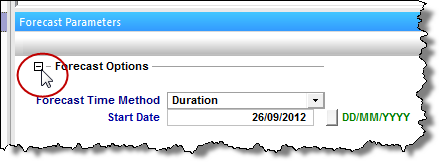
If you select Duration from the Forecast Time Method drop-down menu, the Start Date is automatically populated. (You can change this date later, if needed.)

If you select Start Date from the Forecast Time Method drop-down menu, enter a value for Duration (i.e., the total length of the forecast).
Further details about each forecast period are entered in the forecast options table.

Each row of the table above represents a forecast period. An additional forecast period can be added each time an operational change is encountered (e.g., the flowing pressure decreases when a compressor is added). The forecast options table has the following sections:
- Time – defines the length of each forecast period and each time step, and has the following columns:
-
- Step Type – sets the spacing of the time steps, and can be set to either Arithmetic or Logarithmic. The Arithmetic step type spaces the number of time steps equally over the total duration of the period, whereas the Logarithmic step type spaces the number of time steps logarithmically (i.e., increased density near the beginning of the forecast).
- Forecast Time Method (Duration/Start Date) – sets the length of the forecast period. If Forecast Time Method is set to Duration, this column shows Duration. If Forecast Time Method is set to Start Date, this column shows Start Date.
- # of Steps – sets the number of time steps in the forecast period.
- Control – defines how the operating conditions change over the forecast period, and has the following columns:
-
- Interpolation – can be set to either Step or Ramp. "Step" keeps the control type constant over the forecast period. "Ramp" varies the control type linearly from an initial value, to a final value.
- Control Type – sets what is used to calculate the forecast. For Hybrid model the forecast can be run using either flowing pressure, or gas rate.
- Sandface Pressure – If the Control Type is set to Pressure, this column is displayed, and it is used to set the flowing pressure for the forecast period. If Interpolation is set to Step, only the initial pressure cell is editable. If Interpolation is set to Ramp, initial pressure and final pressure are selectable.
- Gas Rate – If the Control Type is set to Gas Rate, this column is displayed, and it is used to set the rate for the forecast period. If Interpolation is set to Step, only the initial rate's cell is editable. If Interpolation is set to Ramp, initial rate and final rate are editable.
Forecast Constraints
The Forecast Constraints section is where maximum rate conditions and abandonment rate conditions for the forecast can be entered. Available constraints include the following:
- p min – The minimum allowable sandface flowing pressure during the forecast. In order to ensure flowing pressure does not go below this value, rates are adjusted.
- (qg) max – Sets a maximum gas rate during the forecast. In order to maintain the maximum gas rate constraint, flowing pressure is adjusted.
- (qg) ab – Sets the abandonment gas rate for the forecast. When the abandonment rate is reached, the forecast ends.
Forecast Results
The Forecast Results section is where the results of the forecast are summarized. Available results depend on the analysis type, and could include the following:
- EUR – Expected Ultimate Recovery
- Note: For wells with historical data, EUR is defined as the cumulative of the historical data up to the beginning of the forecast, after which time, the synthetic cumulative calculated from the model is used until the end of the forecast.
- RR – Remaining Recoverable.