Creating an OMB Analysis
1. Launch an entity for analysis.
2. Click the Material Balance thumbnail; then select the type of worksheet you want to create.
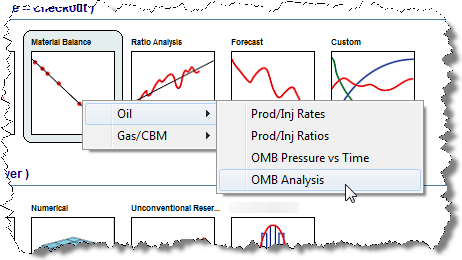
Selecting the Oil displays a list of four default worksheets. The first three provide raw data plots for diagnostics prior to conducting an analysis. The fourth worksheet (i.e., OMB Analysis) is used to create an analysis. The OMB Analysis worksheet is the only worksheet that can be used for OMB – both to create and to display analyses.
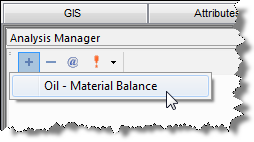
3. Add the Oil - Material Balance analysis to the worksheet. See Adding an Analysis for details.
The analysis is displayed on all four plots in the worksheet. By default, all pressures are selected for "best fit".
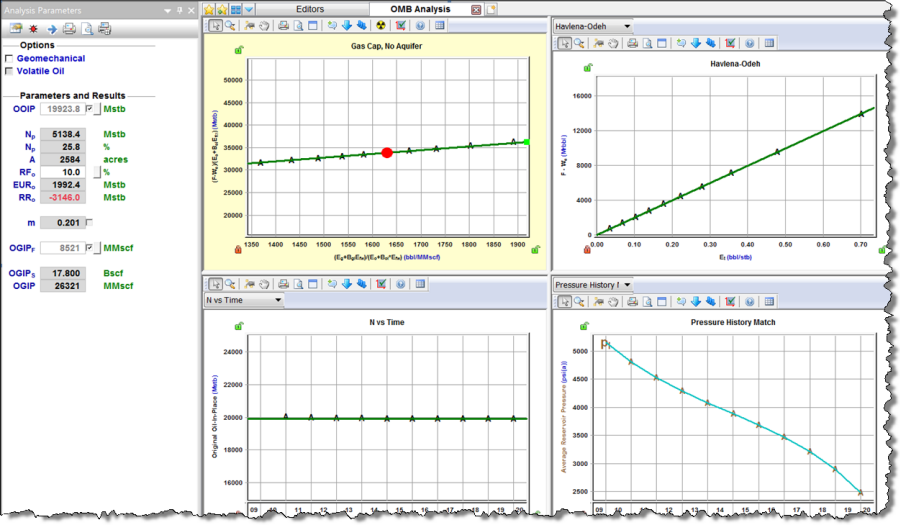
4. Best fit the analysis to the data by doing one of the following:
Note: The analysis line can only be manipulated on the primary analysis plot. The intercept of the line changes the OOIP and the slope of the line changes the OGIP.
Once the analysis adjustment is complete, you can set the recovery factor, or link the OMB analysis to analyses providing an EUR estimate.