 Click to see subtopics:
Panes are windows in Harmony that contain specific groups of data. Panes include the Entity Viewer – Hierarchy pane, the Entity Viewer - Custom pane, the Clipboard, the Status Window, and all of the data windows inside the tabs. You can move panes to a variety of positions to suit your needs.
When you click-and-drag the pane's title bar, the docking navigator is displayed.
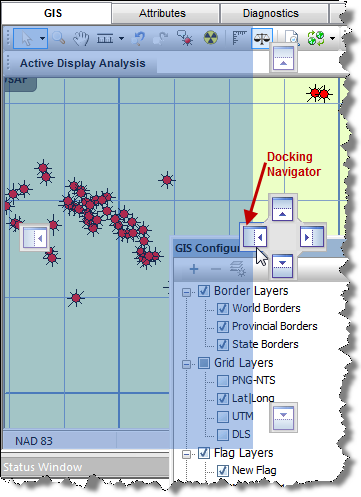
You can dock the pane in these positions:
To dock the pane in a tabbed view, hover over the center box and release. Note that you cannot use a tabbed view with non-docking panes.
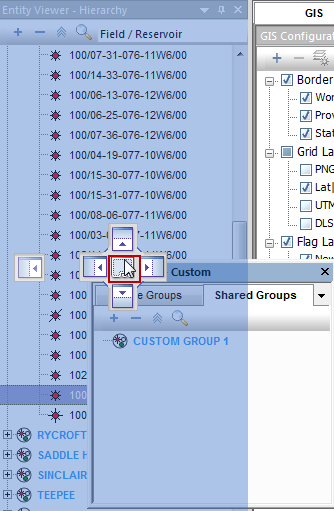
To undock the pane, click-and-drag the tab to a new location.
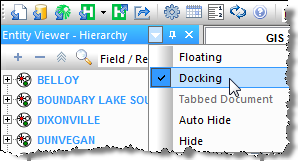
When you right-click the pane's title bar, you can select various options from the context menu.
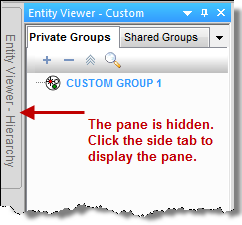
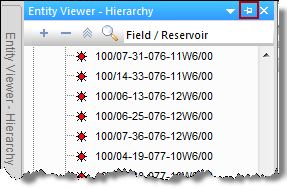
If you click the Pin icon ( ) in the pane's title bar, the pane moves to a tabbed position on the left-side of the application.
To return the pane to a docked position, click the sideways pin icon.
IHS Harmony Enterprise™ 2017.1 | Last revised: March 27, 2017
Copyright © 2017 IHS Inc.