 Click to show / hide an example screenshot
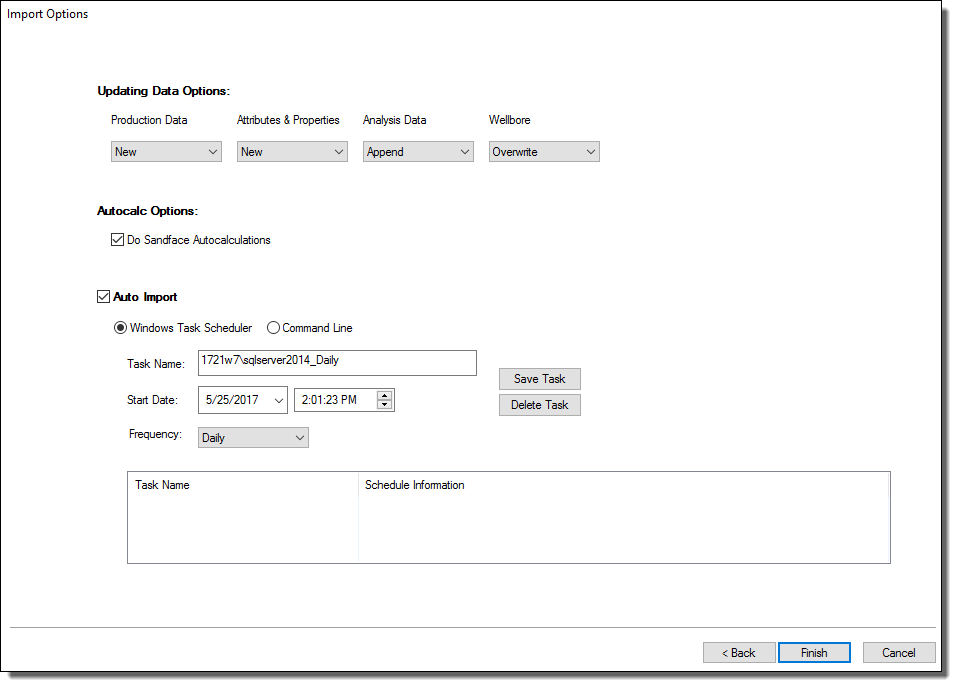
This dialog box is commonly used when you import well data from a database.
The Using Data Options section displays the global Updating Data settings from the Options dialog box. To change these settings for the data source you are connected to, select from the drop-down lists and click Finish.
To automatically calculate sandface pressures during the import, ensure the Autocalc Options checkbox is selected. Note that calculating sandface pressures can take a considerable amount of time (depending on the number of wells and their complexity).
To schedule automatic well updates using the command line or the Windows task scheduler, click the Auto Import box.
To use the Task Scheduler:
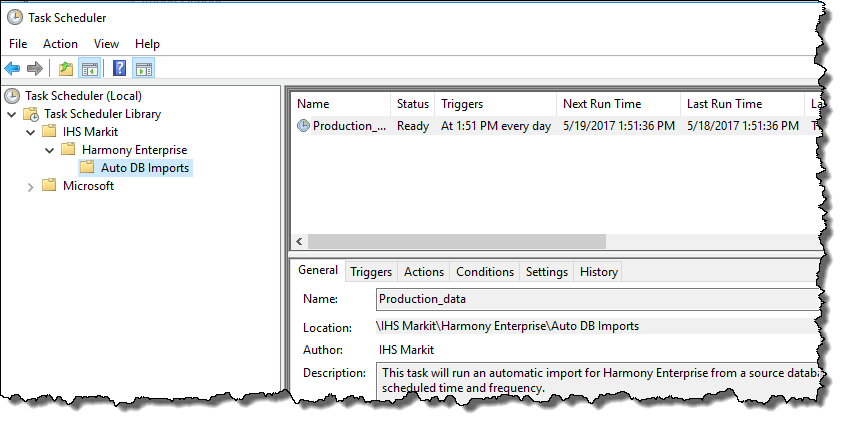
When your task is scheduled, you can preview it in the Task Scheduler.
Copy and paste the text in the Program and Arguments fields to your application or script. If you are not able to open a Command prompt, you may need to contact your IT dept.
Note: The last part of the text in the Arguments field represents the abbreviations for updating data (for example, "nnao"). For more information, see the Options dialog box (Updating Data settings).
IHS Harmony Enterprise™ 2017.2 | Last revised: July 10, 2017
Copyright © 2017 IHS Markit Ltd. All rights reserved.