Tracking
 Click to see subtopics:
Your tracking options are listed in the Forecast Options menu.
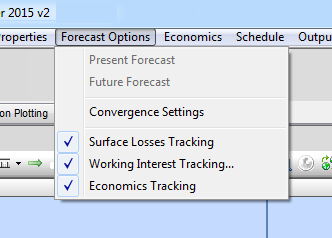
Surface loss tracking
You can specify a gas content loss between the reservoir and surface, which is specified as a percentage of the gas produced.
When this option is selected, you can enter surface loss in the Reservoirs editor, Surface Loss column. This column is not displayed if surface loss tracking is not selected. Surface loss, related to the reservoir, refers to the percentage of production that is lost. For example, this may be a result of venting, leaks, or fuel gas.
Working interest tracking
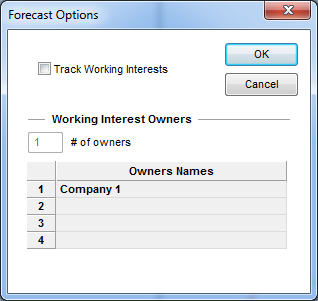
When working interest tracking is selected, the Forecast Options dialog box opens. Working interest tracking is enabled when you select the Track Working Interests checkbox in the dialog box. As you increase the # of owners, additional rows are added to the Owners Names column. The default company names can be overwritten to reflect actual working interest groups.
By selecting this option, you can enter working interests for each well in the Well Options editor, and working interest volumes can be displayed in the output reports.
Economics tracking
Clicking this option displays the Economics menu in the menus toolbar. For more information see adding economics.