PITA Workflow
Related Topics:
These procedures are provided as a guide for analyzing a perforation inflow/injection test analysis (PITA).
To follow the PITA workflow:
1. If the pressures build up (i.e., the pressure in the wellbore prior to perforating was less than the reservoir pressure), start a new PITA inflow project. If the pressures fall off, start a new PITA injection project. See Starting a Project for details.
2. Import your pressure data. 
Note: Rate data is not required for a PITA analysis.
3. Click the Production Editor tab. The Select Data to Analyze dialog box will open. Ensure that the imported pressure dataset is displayed in the Active Pressure drop-down list and click OK. See Loading data into the Production Editor for more information.
4. Remove all data prior to perforating and after the build up (or fall off). See Deleting Data at the Start or End of the Production Editor for additional information.
5. Specify the reservoir fluid type.
6. Filter the data. We recommend filtering the data down to fewer than 5,000 points to speed up model calculations.
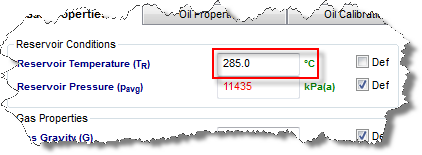
7. Click the Properties tab. Depending on the type of reservoir fluid specified earlier, click either the Gas Properties, Oil Properties, or Water Propertiessub-tabs. Change the Reservoir Temperature value and enter the fluid properties.
8. Calculate sandface pressures.
10. History match the PITA data.
11. (Optional) Create a forecast.
12. Collate the default Late Time, Early Time, and model reports. Then, save the collated report as a pdf file.