Configure visual cues that include the following:
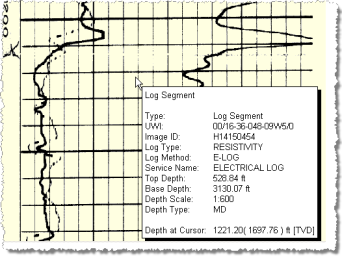
- InfoTips
(
 ), popup information that appears when you pause the
cursor over an object for a specified duration. InfoTips display both
information about the object and the depth at the cursor.
), popup information that appears when you pause the
cursor over an object for a specified duration. InfoTips display both
information about the object and the depth at the cursor. - DepthTips (
 ), popup information that shows the depth and elevation at the cursor as the cursor moves over a log segment, top, depth track, or depth registration.
- The DepthTip format is W(X)Y[Z], where W is the depth, (X) is the elevation, Y is the measurement unit, and [Z] is the depth type (measured depth or true vertical depth). InfoTips overlap DepthTips, so if you prefer to see DepthTips, disable InfoTips or increase the delay before InfoTips appear.
Object highlighting ( ), borders surround an object below the mouse indicating that you can select that object. Only one object at a time is highlighted and highlighting only appears providing the Virtual Magnifier (
 ) isn't selected.

You can only configure
InfoTips, DepthTips, and object highlighting from the Visual Cues tab
of the Options dialog box, but you can select whether they appear from
either the above dialog box, the Visual Cues group, or the toolbar buttons ( ,
,  ,
,  ).
).
To configure visual cues
- Click File (
 ) > Options, and then the Visual Cues tab.

The Options: Visual Cues
dialog box appears.
- Select the Draw Info Tips check box then click Info Tip Properties.
The Info Tips
dialog box appears.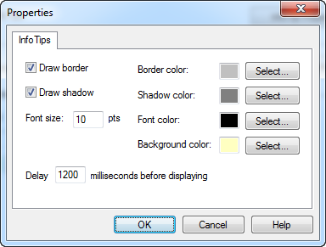
- Configure the popup properties then click OK.
- Select the Draw Depth Tips check box then click Depth Tip Properties.
The Depth Tips
dialog box appears.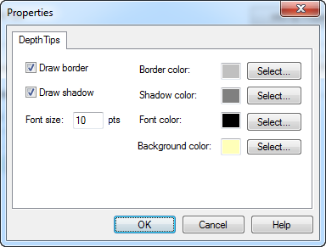
- Configure the popup properties then click OK.
- In the Visual Cues tab, configure the object highlighting options and click Apply or OK.