 To delete data outside interest zones
You can delete data including DSTs, completion information, and so on that appears above and below the start and stop formations you define.
To delete data outside interest zones1. From the Global menu, select Global Online Axxses Settings.
The Global Online Axxses Settings
dialog box appears.
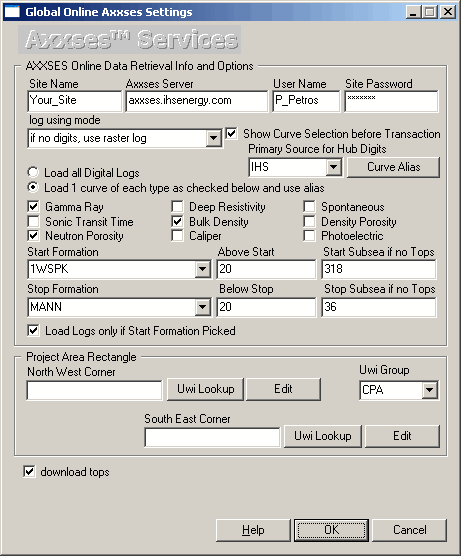
2. Select the start and stop formation and the space above and below the formations then click OK.
3. From the Edit menu, select More Deletions > Delete GeoInfo outside of interest zone.
4. Click Yes to accept the confirmation dialog box.

|
|
