Open topic with navigation
Analyzing velocity and depth
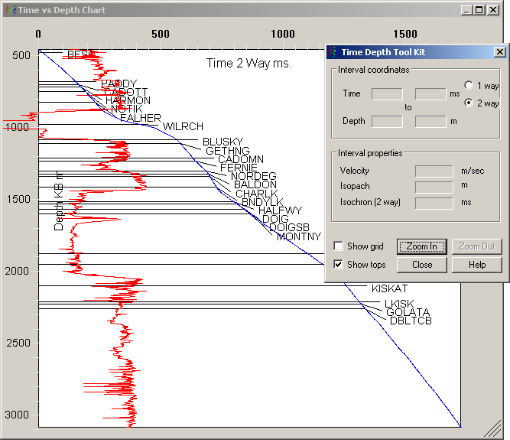
Contained in the chart are the time depth log in blue,
the sonic transit log in red, and tops in black. By default, time is two-way,
though you can change it to one-way.
As you move your cursor time depth, isochron, isopach,
and interval velocity information appears in a corresponding dialog box.
To analyze velocity and depth:
- From the Utilities menu, select Time vs. Depth.
The
dialog box opens.
- Click Zoom In then click
and hold the mouse button on the chart where you want to begin zooming,
drag a zoom rectangle around the area of interest, then release the mouse
button.
- Use the check boxes in the lower-left of the Time Depth Toolkit dialog box to select whether to display a basic depth / time grid and the tops in the Time vs. Depth Chart.
Related topics
Drawing straight edge and freehand curves
Applying math equations to logs
Clipping or filtering logs
Open topic with navigation