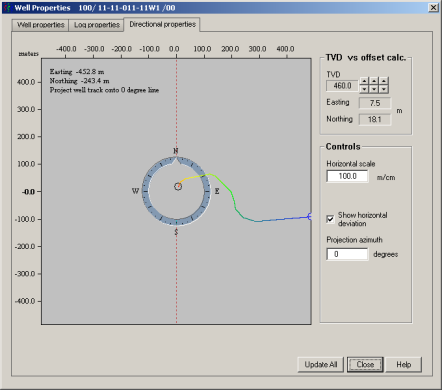
Import a directional survey saved in GeoGraphix, Open Works, or ASCII format. When the directional survey is applied to the model, display it showing deviation calculated from a projection of the wellbore onto a user-selected azimuth.
GeoSyn 2D cannot display the offset in the model because it complicates interpolating the velocity field.
You can only modify directional properties after you import a directional survey. For details, seeRelated Topics below.
 ) over the display pane and move it along the deviation
line to view the Eastings and Northings.
) over the display pane and move it along the deviation
line to view the Eastings and Northings. ). Click and hold while dragging
the dashed red projection line (oriented north-south by default), and
release the mouse button to place the line.
). Click and hold while dragging
the dashed red projection line (oriented north-south by default), and
release the mouse button to place the line.