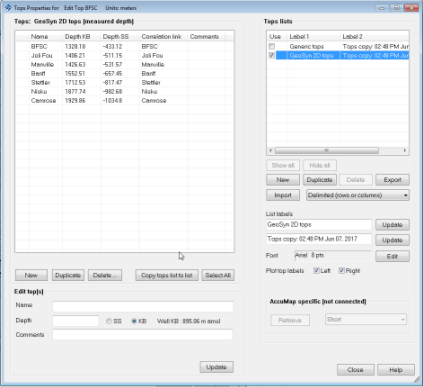
When you create a new synthetic or launch an existing one, GeoSyn automatically downloads the latest system tops and user tops from the local AccuMap database or the IHS Online Information Hub. If importing an LAS or GeoSyn file, you specify whether the well is in measured depth or true vertical depth units so the tops are placed at the correct depths.
The display properties of tops including formation name, depth, marker attributes, and lithology can be modified. Customized tops can be copied to multiple tops lists and displayed in the main synthetic display.
|
Important: |
Changes you make in the GeoSyn user tops list in aren't updated in the AccuMap user database and will be overwritten by the AccuMap user database the next time you launch the synthetic. To change the value in the AccuMap user database, use AccuMap Tops Manager. To prevent the changed depth from being overwritten without changing the depth in the AccuMap user database, copy the top to the Generic tops list. |