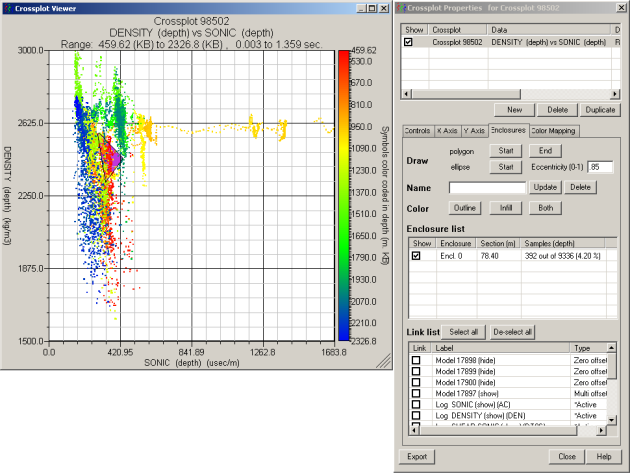
).
).Highlight crossplot features by drawing either a polygon
or ellipse in the Crossplot Viewer and then changing the default annotation
display properties. The data points that fall within the polygon you draw are highlighted on the model. This enables you to see where data points of interest on the crossplot come from.
When drawing an ellipse, you can specify an eccentricity of 0 to 0.99 where 0 represents a circle and 0.99 represents the narrowest (most eccentric) ellipse. Typing 1 draws a line instead of an ellipse.
1. With at least
one crossplot created in the model display, from the Edit
menu, select Crossplot properties
().
2. Click the Enclosures tab.
3. Do one of the following:
4. In the Enclosure List, select the annotation with which to work .
In the Name box, type a descriptive name for the annotation(s) selected above.
5. Select from the following display properties:
6. In the Link List pane, click the synthetic or log on which to display the data point highlighting.
To hide an annotation from the Crossplot Viewer, clear the check box in the Show column of the Enclosure list. You can also select the enclosure and then press Delete.