 To monitor Enerdeq Desktop usage
Compare the total and occupied seats for each Enerdeq data module to which you're entitled. For each module, expand the node to view the user name and the date and time of their session.
To monitor Enerdeq Desktop usage
1. In the Admin Console navigation tree, click Advanced, and then Resource Monitor.
The Resource Monitor dialog box appears.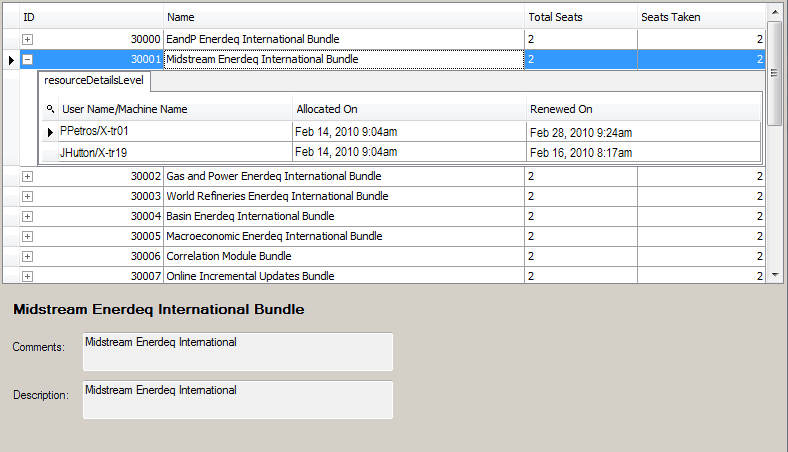
2. In the display pane, click a data module to view the network IDs of users accessing it, the date and time when they started the current session, and the date and time when their seat was last renewed.
 Tip: To view data currency information, select Help and then Data Currency from the main menu bar.

