Custom Worksheet
The custom worksheet is a blank template where you can create a customized plot by applying the parameters that you deem most appropriate for a particular entity, or group of entities.
Note: The custom worksheet is available with an IHS DeclinePlus license.
Creating a Custom Worksheet
1. Launch an entity for analysis.
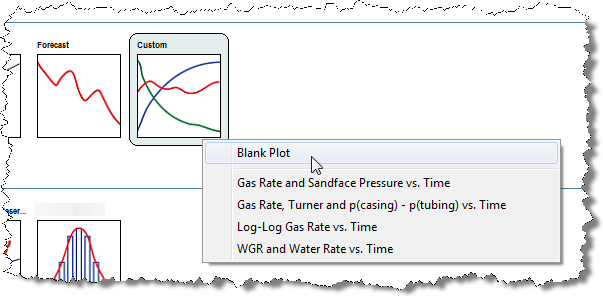
2. Click the Custom thumbnail; then select the type of worksheet you want to create.
- Blank Plot creates a new worksheet that contains a blank plot.
- The other options create worksheets using default plots.
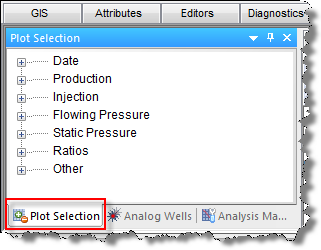
3. Click the Plot Selection tab In the Analysis Manager pane to display a tree structure of available plot parameters.
4. Locate
the parameters you want to add to the plot (click the /
/  icons to expand / collapse the tree structure), then select the desired parameters,
or drag them onto the plot.
icons to expand / collapse the tree structure), then select the desired parameters,
or drag them onto the plot.
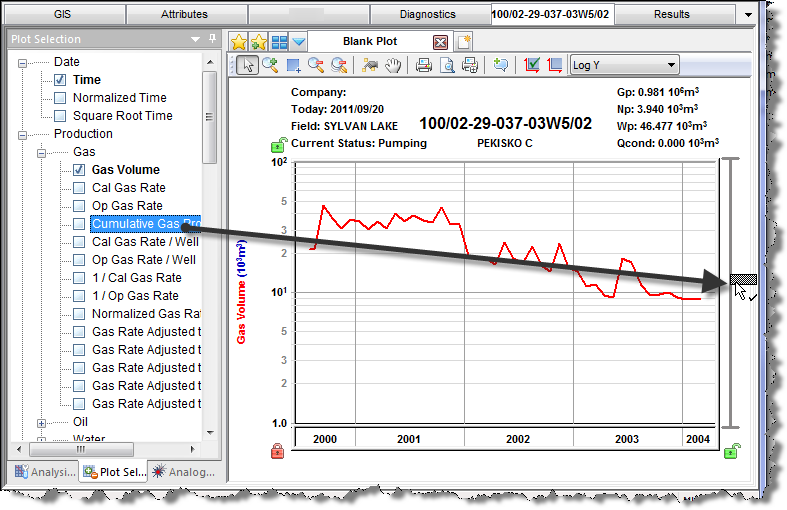
Note: A checkmark is displayed when a parameter is dragged to a valid location on the plot.