Setting Start Date Offsets to Peak Rate
After creating a type well analysis, notice that the decline analysis created on type well worksheets starts at time zero.
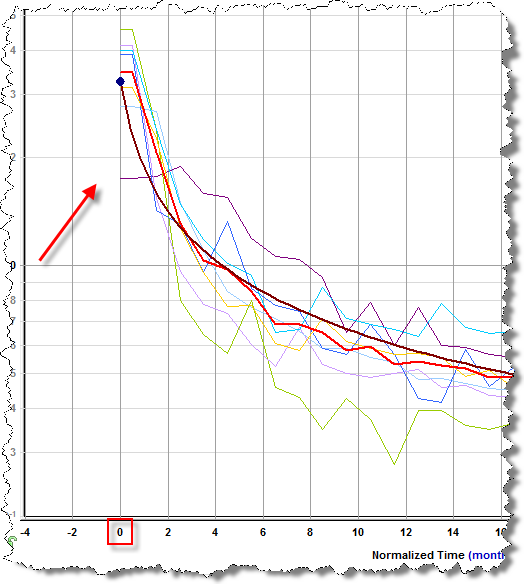
You can change the start period of a well by entering a value in the Start Date Offset boxes, or by clicking the blue left- or right-facing arrows next to the boxes. The number in the box corresponds to the time period in which production data starts for the well. (On a time plot, this is either months or days. On a cumulative plot, this is production volume produced in that time period. Therefore, a well with larger production volume will move more than a well with less production volume.)
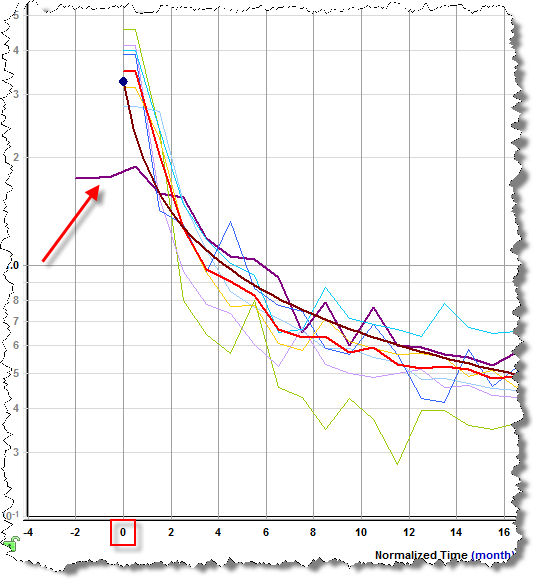
Note: Anything to the left of time zero (0 on the y-axis) is not used for the calculated lines or the decline forecast.
The Wells tab has the following icons:
-
 (Sync Selections) — syncs well offsets between multiple
type well worksheets.
(Sync Selections) — syncs well offsets between multiple
type well worksheets. -
 (Set Start Date Offsets to Zero) — sets all well offsets to zero.
 -
 (Set Start Date Offsets to Peak Rate) — sets all well offsets to the
well's peak rate.
(Set Start Date Offsets to Peak Rate) — sets all well offsets to the
well's peak rate. -
 (Set Start Date Offsets to Specified Value) — sets all well offsets to the
value you enter.
(Set Start Date Offsets to Specified Value) — sets all well offsets to the
value you enter.