Initializing a Reference Date
When you start a new project, you will need to initialize a reference date for reserve evaluation.
Note: You can add a reference date later on.
To initialize a reference date:
1. Open Harmony and click the New Project link.
2. Create a valid decline analysis. See Decline Analysis for additional information.
3. Click the Classification drop-down list; then select a classification type.
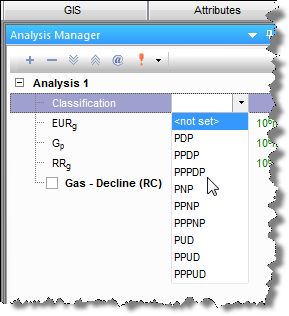
The Initialize Reference Date dialog box opens.
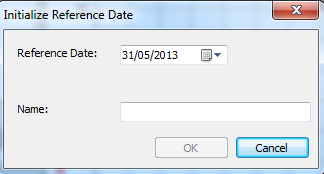
4. Specify a reference date by doing one of the following:
- click the down arrow and select a date from the calendar.
- enter a date using your keyboard.
5. Enter a name (maximum 40 characters) and click OK.