The GIS map displays entities (wells and groups) as long as their attributes include geographical coordinates.
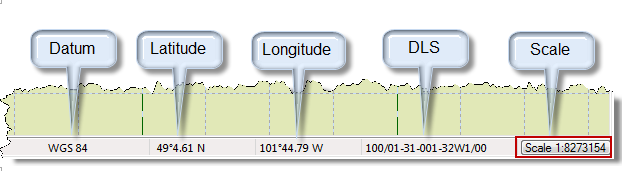
When you mouse over the GIS map, the status bar displays the latitude, longitude, and dominion land survey (DLS) at the current location.
To create new facilities, click the icons located on the GIS design mode tools toolbar. If you want other options (for example, setting a flag), right-click the well on the map.
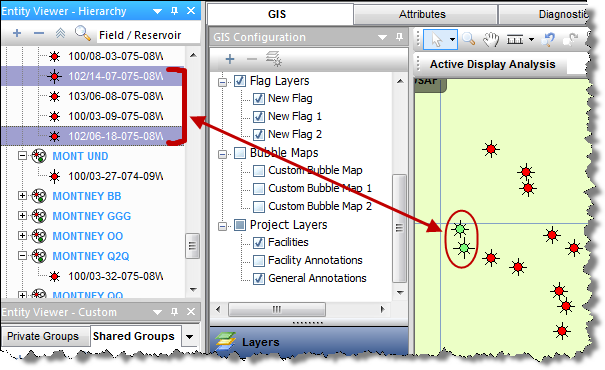
When you select a well on the map, it is synchronized with the Entity Viewer and vice versa. Selected wells are highlighted in the Entity Viewer and are displayed in light green on the GIS map.
If you right-click the map, you can add a general annotation by selecting Create General Annotation. This anchors the annotation at the point on the map you clicked.
If you right-click an annotation, you can edit it.
If you right-click a well on the map, these options are displayed:
IHS Harmony™ 2016b Multi-User | Last revised: October 19, 2016
Copyright © 2016 IHS Inc.