Review facility and link data, and configuration dates
To make sure that your gathering system model accurately reflects the gathering system, you need to review: the facilities and links included in the model, facility and link data, and the configuration dates that reflect how the data changes throughout the forecast period.
To review this data:
1. Select the first configuration date in the case controller.
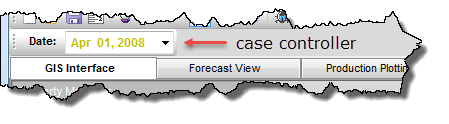
2. If you do not have the GIS interface tab selected, click the GIS Interface tab, and:
- Click the Go To icon (
 ); a list of all facilities in the model is displayed in the Go To dialog box. Verify the facilities listed for the first configuration date are correct.
 - If there are additional configuration dates, select the next date in the case controller. Repeat step a) and verify if any facilities have been added or deleted.
3. Click the Facilities menu and select each facility type identified in steps 2 a) and b).
Or, right-click a facility on the map and select Edit.
The editor for the selected facility type is displayed.
4. Verify that the data entered in the editor is valid.
5. In the date tree on the left side of the editor, expand each configuration date.
The configuration of the model is listed for each configuration date. The entries are color-coded as follows:
- green — new additions
- red — existed in a prior configuration, but changes have been made, or the facility was deleted
- black — unchanged and existed in a prior configuration
You can also verify changes made to the model by viewing the systems changes report.
6. Click OK.
7. Click the Wells menu and select Well Editor.
Or, right-click a well on the map and select Edit.
The Well Editor is displayed.
8. Repeat steps 4 - 6.
9. Click the Pipelines menu and select Gathering System.
The Gathering System editor is displayed.
10. Repeat steps 4 - 6.
This completes the review of facility, link, and configuration dates.