 To change global online settings
for raster functionality
To change global online settings
for raster functionalityBefore loading raster logs from the IHS Energy Information Hub, you must specify how AccuX will use them. You can specify the conditions under which AccuX downloads raster logs and whether to use sliced or unsliced (AccuLogs) raster logs.
To change global online settings
for raster functionality
1. From the Global menu, select Global Online Axxses Settings.
The Global Online Axxses Settings
dialog box appears.
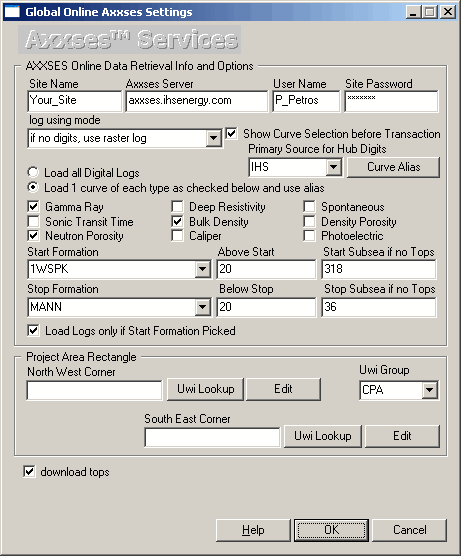
2. Ensure Show Curve Selection before Transaction is selected and from the log using mode drop down box.
3. Select whether to use sliced raster logs or unsliced raster logs (like AccuLogs uses). If using sliced raster logs, you can specify whether to digitize the log.
4. Click OK.

