 To delete digits outside interest
zones
To delete digits outside interest
zonesYou can delete digits outside an interest zone to reduce memory usage and increase processing speed. Only delete the digits you're sure you won't need. Digits immediately above and below the interest zone are not deleted. Instead, you define the offset above start and below stop depths to keep; for example, 20 meters above and below the interest zone. These portions of the log are useful to establish a reasonable shale line for the interest zone.
To delete digits outside interest
zones
1. From the Global menu, select Global Online Axxses Settings.
The Global Online Axxses Settings
dialog box appears.
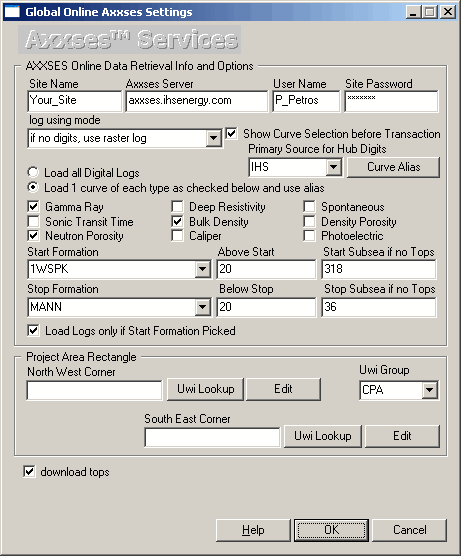
2. Select the start and stop formation and the offset above and below the formations and then click OK.
3. From the Edit menu, select More Deletions > Delete digits outside of interest zone.
4. Click Yes to accept the confirmation dialog box.

|
|
