 To display pay flags
After you create a target zone with specified cutoffs, you can display pay flags on the right side of the petrophysical track. These black markers show the interval over which the pay conditions you defined in the Target Zone Properties dialog box are met.
To display pay flags1. With the petrophysical
track ( ) displayed in Cross Section Viewer, from the Cross Sec menu, select Properties (
 ).
).
The Cross Section/Single Log View Common
Properties: Options
dialog box appears.
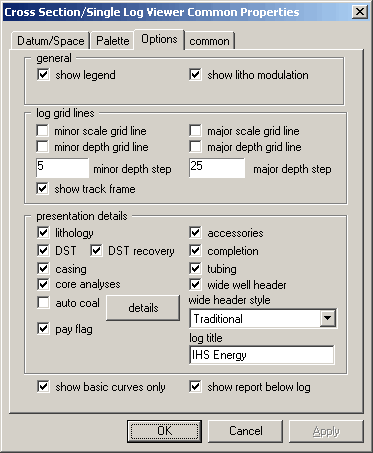
2. Click the Options tab, select pay flag, and then click OK.

|
|
