 To display pre-calculated regional
maps
To display pre-calculated regional
mapsYou can display stock subsurface maps for various Western Canadian formations to display things such as minimum gamma ray, maximum resistivity, and more.
More pre-calculated maps will be added in future releases.
To display pre-calculated regional
maps
1. In
the left toolbar, click AccuX Vision
( ).
).
The
Setup AccuX Vision
dialog box appears.
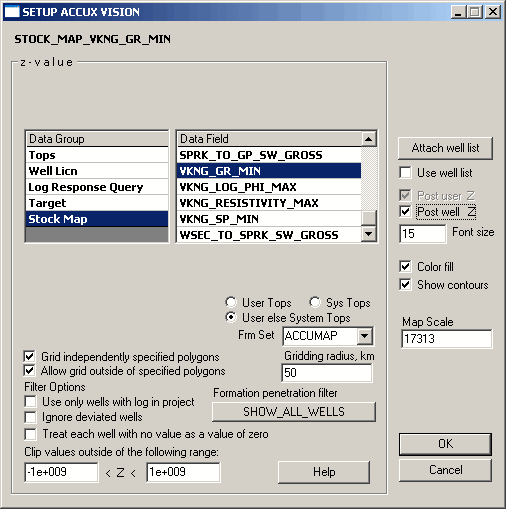
2. In the Data Group, select Stock Map, then in the Data Field list, select the type of map to display.

|
|
