 To locate a UWI
You can search for a specific UWI in Western Canada and then draw a map centered on that well. A red circle also denotes the well on the map so it's easy to find.
To locate a UWI
1. From the Map menu, select UWI Search.
The UWI
Lookup dialog box appears.
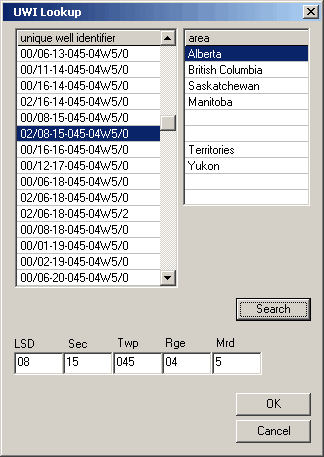
2. Select the desired province then type the UWI and click Search.
The UWI Lookup dialog box highlights the UWI that most closely matches what you typed.
3. Click a well above or below the selected well then click the desired well again and click OK to redraw the map centered on the selected UWI.

|
|
