 To post Z values
You can display Z values associated with the data group and data field combination you've selected in the Setup AccuX Vision dialog box. For example, if you select the Tops data group and the Depth data field, Z values are user and system top depths. If you select the Well License data group and the Kelly Bushing data field, Z values are kelly bushing depths.
Z values that appear within your current screen extents can be exported in .csv format; for details, see Related Topics below.
To post Z values
1. In the
left toolbar, click AccuX Vision
( ).
).
The Setup AccuX Vision
dialog box appears.
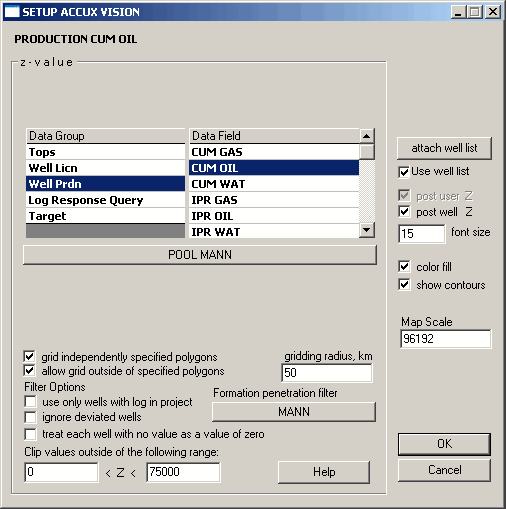
2. Select the Data Group and Data Field for which you want to post Z values, and then select Post Well Z.
 You
can type a larger font size to increase the visibility of posted Z values.
You
can type a larger font size to increase the visibility of posted Z values.
