 ).
).Change the lengths, percentage of overlap, and reflection coefficient of individual wavelets.
To change wavelet expansion properties
1. From the Edit menu, select Model Properties ().
The Model Properties: Expanded
dialog box appears. 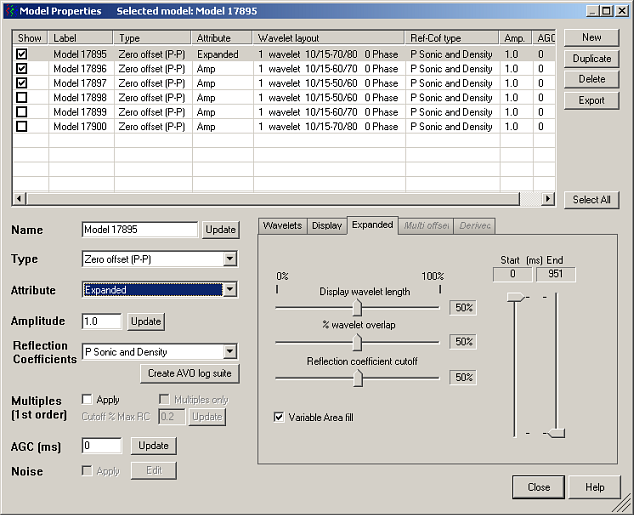
2. Select the desired wavelet(s) in the display pane, Derived from the Type drop-down list, and then select Expanded from the Attribute drop-down list.
3. Modify the parameters that control wavelet generation and placement then in the main Model Properties dialog box, click Close.
| Changing Wavelet Properties |