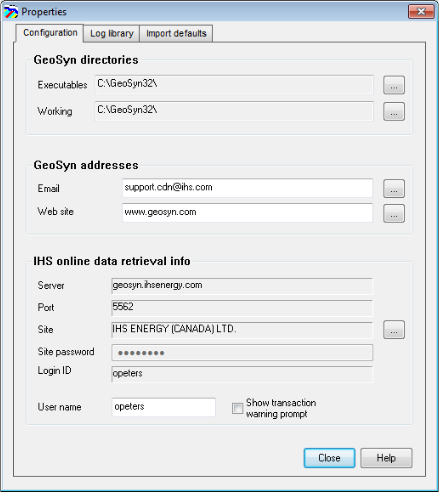
GeoSyn enables you to change basic configuration details that apply to all GeoSyn sessions, such as the directories where it looks for configuration, license, and template files. Changes you make affect the current and future GeoSyn sessions.
The Properties dialog box includes a separate tab to control how imported log, seismic, and tops files are interpreted and displayed. For details, see Related Topics below.
Several interface items can be toggled from the view menu as well: Tool Tips, Toolbar, and Status Bar.
To configure GeoSyn defaults
1. From the Edit menu, select Configuration properties.
The Properties: Configuration
dialog box appears.
2. Click the Edit button beside the Working box to specify a different location where GeoSyn looks for and saves synthetic layout templates, color palettes, and more.
If your subscription to the IHS Information Hub is charged by the transaction, select the Show transaction warning prompt checkbox to be notified before digits are downloaded and charges incurred.
3. Click Close to apply the changes or click a different tab.
Configuration changes are automatically applied to this and future GeoSyn sessions.
| Licensing GeoSyn | Contacting Customer Care |
| Changing Import Defaults |