Gas Properties for Numerical Modeling
To set gas properties for numerical modeling, set the Gas Type to Dry Gas, Wet Gas, or Liquid-Rich Gas in the Properties Editor.
To be able to run a Gas Condensate or Volatile Oil numerical model for the well, you must select Liquid-Rich Gas as a gas type. For a additional information, see Differences between Black Oil, Gas Condensate, and Volatile Oil Numerical Models.
Important: If the Gas Type is Liquid-Rich Gas, properties used for numerical modeling are slightly different from the properties used for other types of modeling and analysis. To be able to display and edit properties used for numerical modeling, click the Plot Options icon (
) on the toolbar and select the Display numerical analysis properties option in the Plot Options dialog box.
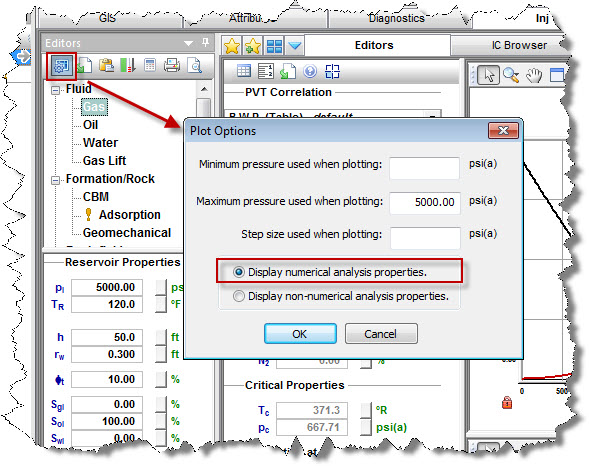
If you select Liquid-Rich Gas as the Gas Type, you have to set the Vaporized Oil Ratio (Rv). If you have lab data available, you can set Rv as a table. Alternatively, you can use the correlation suggested by Ovalle et al.