Creating a PSS Forecast
You can create a history-free forecast as long as the Editors tab contains the necessary reservoir properties.
To create a forecast using the pseudo-steady state (PSS) model:
1. Launch an entity for analysis.
2. Click the PSS Model thumbnail; then select the type of worksheet you want to create.
Note: We recommend that you begin with a Rates vs Time worksheet.

3. Add the Pseudo Steady State analysis to the worksheet. See Adding an Analysis for details.
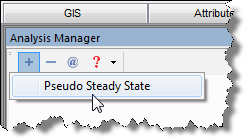
4. Display the Analysis Parameters pane by selecting the CBM Pseudo Steady State checkbox in the Analysis Manager.

5. Expand the Reservoir Properties selection tree; then enter all of the required values.
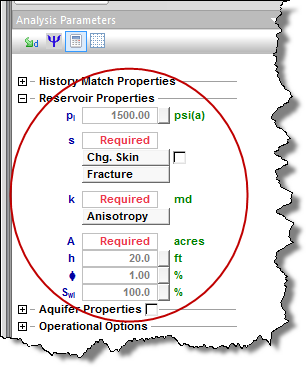
Note: Initial reservoir pressure (pi), thickness (h), porosity (φ), and initial water saturation (Swi) are automatically populated with values that were entered in the Properties Editor. However, you can edit these values if necessary.
6. In the Forecast Parameters pane, enter a duration for the forecast, and an initial flowing pressure in the forecast table.
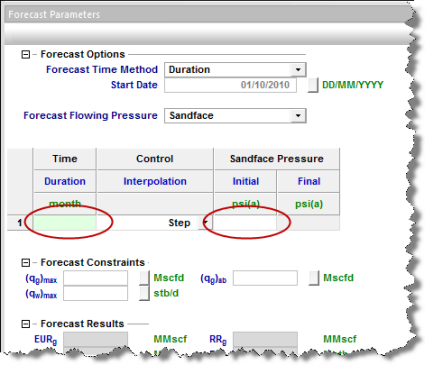
A production forecast of gas and water rates is displayed on the graph.