Setting a Reserve Classification
By setting / classifying your reserves, you can specify the certainty of your reserves for the forecasting analysis methods within Harmony (i.e., Decline, Volumetrics, Material Balance, Ratio Analysis, Forecast, and Custom). When a forecast is created, a reserve classification is not assigned by default, but the forecast start date defaults to the earlier of the active reference date, or the end of production.
 Click to show / hide an example screenshot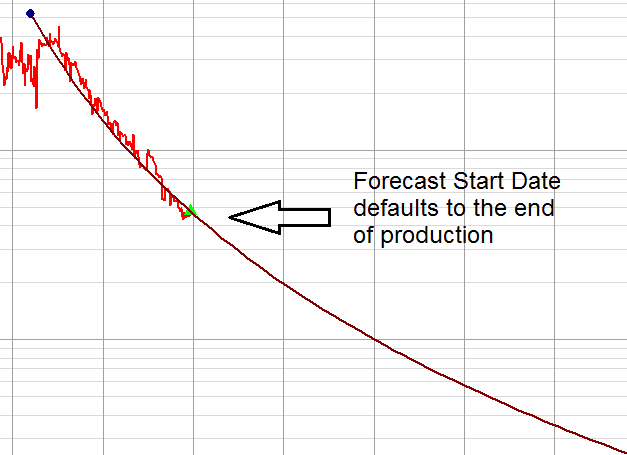
To set a reserve classification:
1. Launch an entity for analysis.
2. Perform an analysis that creates a forecast.
3. Add the analysis in the Analysis Manager. See Adding an Analysis for additional information.
4. Click the Classification drop-down list; then select a classification type.
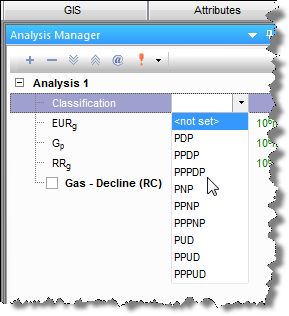
If no active reference date exists, you will be prompted to initialize a reference date.
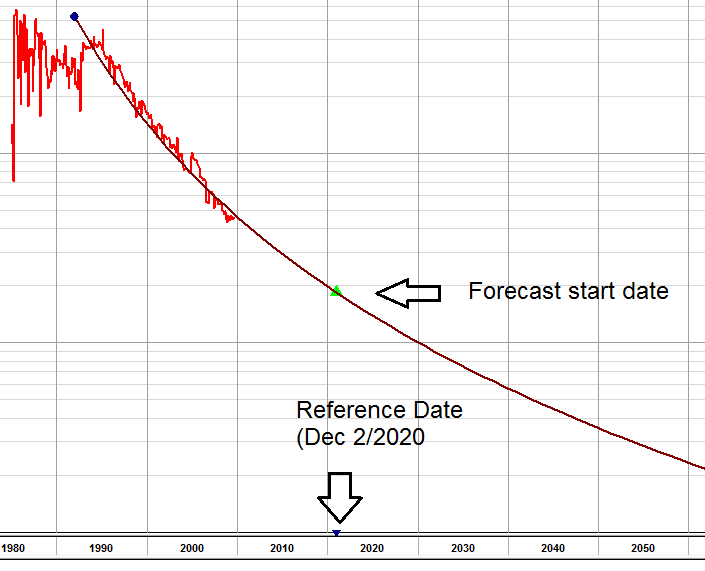
Once you assign a reserve classification,
the forecast start date shifts to the project’s reference date, which
is indicated by the ( ) marker on the x-axis of the
analysis plot. (The historical match before the reference date will be retained.)
) marker on the x-axis of the
analysis plot. (The historical match before the reference date will be retained.)
The entity’s name in the Analysis Manager changes to reflect the classification and reference date.