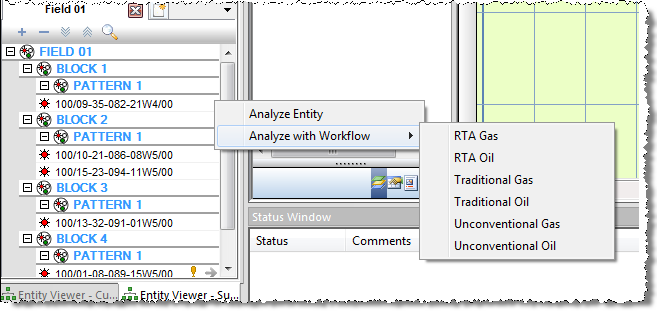
Applying a Workflow
You can apply a workflow to one or more entities, so that the workflow launches when the entity is launched.
Note: If you have set a workflow as the default for a fluid type, launching an entity of that fluid type for analysis applies the default workflow.
1. Select one or more entities in the Entity Viewer - Hierarchy Groups, Surveillance Groups, or Custom Groups pane.
2. Right-click one of the entities; click Apply Workflow to Selected Entities; then select a workflow.
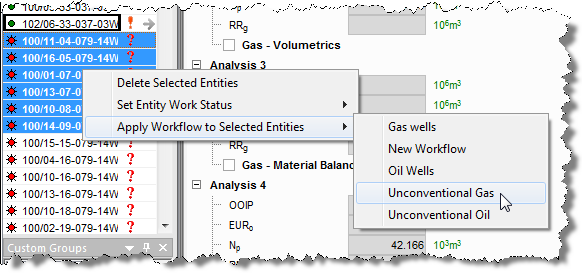
Note: If you right-click your selection when no workflows exist, you will see (No Workflows Exist) in the context-menu. Also, if you attempt to apply a workflow to an empty group, an error message will open stating that workflows cannot be applied to groups that do not contain any wells.
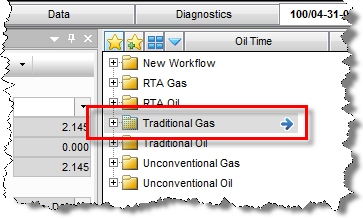
3. Or, to apply a workflow to a single entity, launch the entity, and then click the Launch
Workflow icon ( ). Then either
double-click the workflow, or click the blue arrow (
). Then either
double-click the workflow, or click the blue arrow ( )
to the right of the workflow.
)
to the right of the workflow.
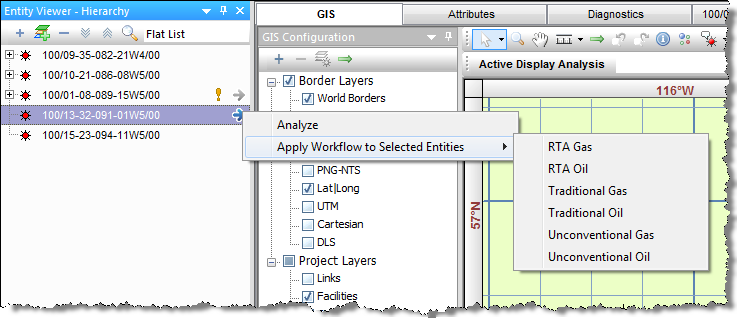
Alternatively, you can click the blue arrow for the entity, hover over Apply Workflow To Selected Entities, and select the workflow you want to apply.
Note: In the Surveillance pane, Analyze with Workflow will be displayed instead of Apply Workflow To Selected Entities.