Worksheets are plots or tables of entity data and analyses. Worksheets are related to the currently selected entity for analysis (a well or group), and each worksheet can be used for one or many analyses. You must add a worksheet before you can analyze an entity.
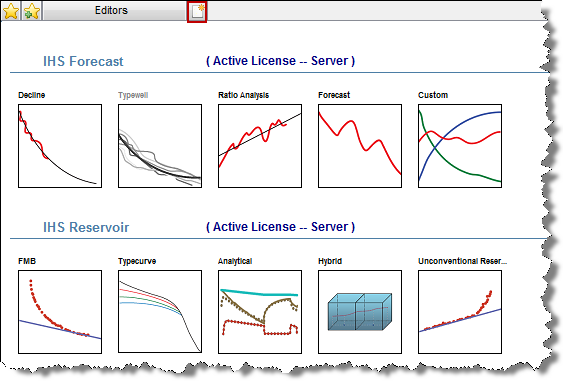
The New Worksheet tab opens when you select an entity for analysis, or click the New Worksheet tab.
Tip: After working on your analysis, you can click another tab and your work is automatically saved. If you want to extract specific wells and later import them back into the database, see work offline.
Harmony supports the following worksheets, which are listed in the order they are displayed:
| IHS Forecast™ License | IHS Reservoir™ License (links to various analyses) |
|---|---|
| Decline | FMB |
| Typewell | Typecurve |
| Ratio | Analytical |
| Forecast | Hybrid |
| Custom | Unconventional Reservoir |
With a Forecast license, you can have many analyses on many worksheets (many:many relationship).
With a Reservoir license, you have one analysis on one worksheet. (1:1 relationship).
IHS Harmony™ 2016b Multi-User | Last revised: October 19, 2016
Copyright © 2016 IHS Inc.