Adding economics
 Click to see subtopics:
Piper includes economic features to evaluate the economic viability of forecasts for different gathering system models. You can create and export net present value (NPV) and system cash flow reports for existing gathering systems and their forecasted conditions. Economic forecasts are run each time an economics report (NPV or cash flow) is generated, or when you view a cashflow plot. If you make changes to economic inputs, it is not necessary to re-run a forecast to update an economic report. The duration of an economics forecast is set in the forecast view.
| Important: | You must run a forecast for the full duration of the forecast period to generate correct economic reports. If you stop a forecast before it completes, cost data is included for the entire forecast duration, but revenue data is only considered for the duration the forecast is run. Consequently, incorrect reports result. |
Inputs
You must enter economic data for your gathering system in order to generate NPV and system cash flow reports.
To enter data:
1. Click the Forecast Options menu and select Economics Tracking.
The Economics menu is only displayed on the menu toolbar if you follow step 1.
2. Click the Economics menu and select Inputs.
The Economic Inputs dialog box opens.
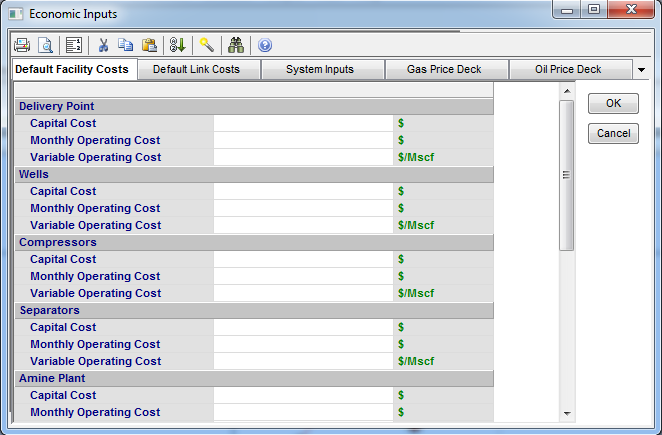
3. (Optional) Enter the Default Facility Costs.
4. (Optional) Enter the Default Link Costs.
5. (Optional) Enter the System Inputs.
6. (Optional) Enter the Gas Price Deck.
7. (Optional) Enter the Oil Price Deck.
8. Click OK.
System NPV Report
The System NPV Report details the capital costs, present value of revenues, present value of expenses, and the sum of these three components for each facility in the model. The NPV of the system as a whole is then calculated as the summation of the NPV of each facility.
To generate a system NPV report, click the Economics menu and select System NPV Report.
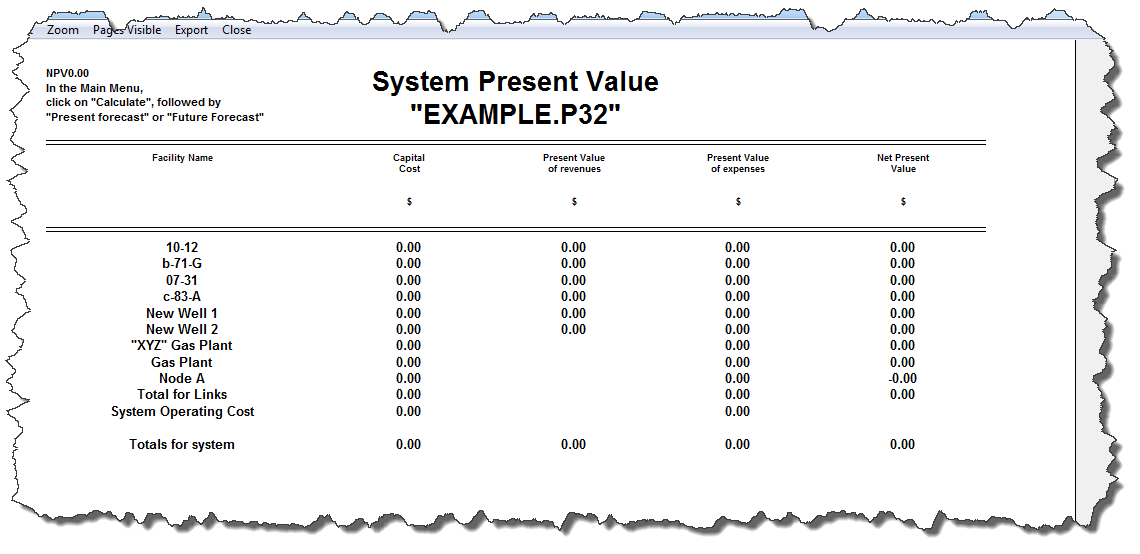
The NPV is calculated at the discount rate specified (if one is entered). If an inflation rate is specified, monthly operating costs and variable operating costs are inflated before discounting.
Both gas and liquid revenue is recorded at the wellhead. Therefore, facilities such as refrigeration units will not have revenue associated with them even though they may be taking off liquids that are to be sold.
System Cash Flow report
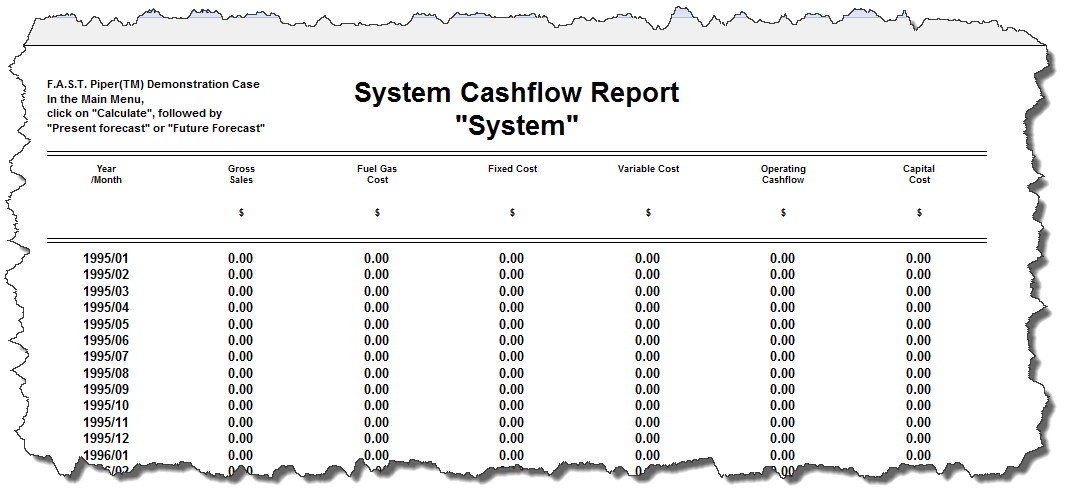
The System Cashflow Report provides details of the undiscounted revenues, costs, and cash flows generated for all facilities on a forecast period basis. The report also provides details of capital costs incurred for the forecast period.
To generate a system cash flow report, click the Economics menu and select System Cash Flow Report.