 To create overlay maps
You can overlay either target or log response query maps with structural maps or other types of maps.
To create overlay maps
1. In the left toolbar, click Map
Contour ( ).
).
The Map Contours
dialog box appears.
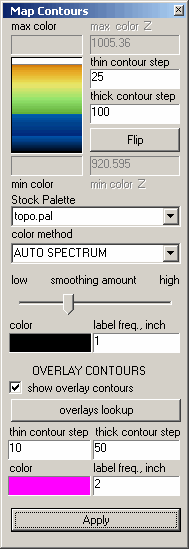
2. Ensure show overlay contours is selected then click overlays lookup.
The Overlay Map Lookup
dialog box appears.

3. Select the data group with which you want to work and in the adjacent list, select the specific data field. For example, select Tops as your data group and Subsea as your data field.
4. Click the lookup button below the data group area to select a specific item within a data field. Following from the example above, select Banff as your subsea top, and then click OK.

|
|
