 To smooth maps
Maps are smoothed using an average moving window method where the size of the window can be changed from 1 x 1 (no smoothing) to 100 x 100 (maximum smoothing). The average value is calculated from grid nodes inside the moving window and applied to the center of the window.
Grid size columns and rows also affect smoothing. Larger values increase gridding detail and reduce smoothing while smaller values reduce gridding detail and increase smoothing.
To smooth maps
1. In the
left toolbar, click Map Contour
( ).
).
The Map Contours
dialog box appears.
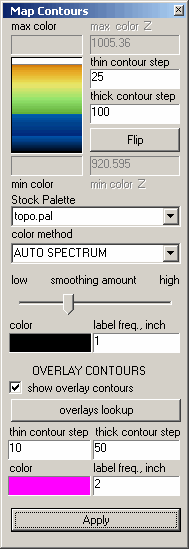
2. Drag the slider to change map smoothing.

