 To register map locations
You can assign names to different map locations and then select a map name from a list to quickly jump to that location. AccuX saves the map name, creation date, date last accessed, lat long of the center point, and the map scale.
To register map locations
1. With the desired map location and scale displayed, from the Map menu, select Register Location.
The Save Place dialog box appears.
2. Type a unique and meaningful name to display in the registered map locations list and then click OK.
 Note:
If you type the same name as an existing location, your current map location
overwrites the previous location.
Note:
If you type the same name as an existing location, your current map location
overwrites the previous location.

To launch map locations
1. From the main menu, select Map > Location Index.
The Location Index
dialog box appears.
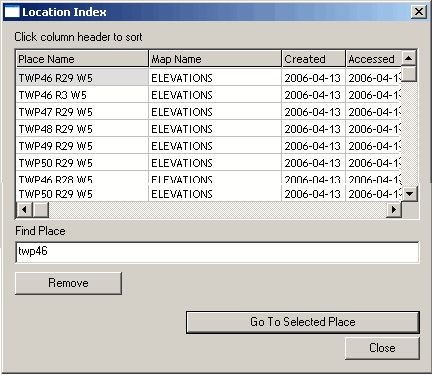
2. Either select the desired location from the display list or type the first few letters or numbers of the location name in the Find Place box to scroll the display list to that name.
3. Click Go to Selected Place.
