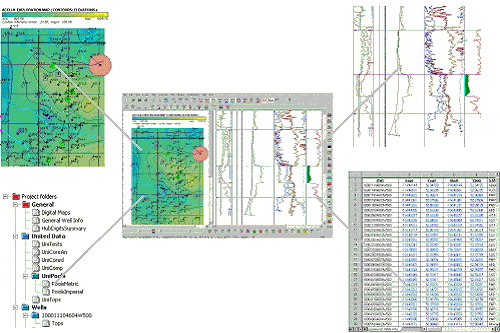
The main AccuX interface consists of a map view and a cross section view.
The map view enables you to build a general understanding of an area by navigating to and viewing both well and subsurface details. You then click specific wells on the map from which to create a cross section on which you do more detailed analysis.
The cross section view displays logs for wells you select in the map view. In the cross section view, you select a target zone and perform detailed stratigraphic and structural analysis including analyzing localized trends, building detailed interpretations, generating net pay reports, and more.
When working with project mode, instead of a map in the map view, you can display Explorer Tree View, a folder and datasheet structure that shows the specific underlying digits upon which the project display is based. As you click datasheets, a spreadsheet appears in the cross section viewer where you can change specific data values. This changed information is only applicable to the current project.
As you define target zones and calculate reserves, additional
folders appear in the Explorer Tree View. You can export datasheets from
the Explorer Tree View in .xls,
.csv, and .html
format to use with other applications.

|
|
