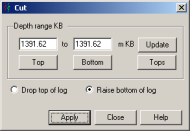
) on the Log Editortoolbar.
Cut a section from a log and then either lower the start depth or raise the stop depth so that either the tops below or above the cut maintain accurate depths.
If you change the shallowest or deepest depth in the entire depth page, also resize the model by either dragging the canvas borders or by changing the display range in the Display Parameters: Depth Model tab so that portions of the depth model that aren't occupied by any wells, but that would otherwise influence your time model, are removed.
You can also insert a constant value log section the same thickness as the section removed. For details, seeRelated Topics below.
) on the Log Editortoolbar.) on the Log Editor log display pane to select a range to
cut.