The Log Editor dialog box opens.
 ).
).Correct log depths with cable stretch and other errors by adding a segment to the top or bottom of one or multiple logs in the current model. New data points added to the top or bottom of logs are extrapolated using the last available data point. If the top or bottom value is anomalous, it will be propagated and may require further editing.
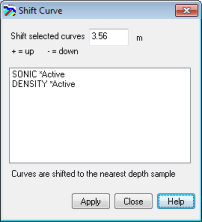
GeoSyn requires that all logs have the same top and bottom, so when one log is shifted in depth, GeoSyn adds data to the top or bottom of all logs to compensate.
).