Creating a VRR Analysis
A voidage replacement ratio (VRR) analysis can display both the instantaneous voidage replacement r atio and cumulative voidage replacement ratio for both water injection and CO2 injection. The VRR datasets can be plotted versus Time, Cumulative Oil Produced, Cumulative Water Injected, or Cumulative CO2 Injected. (In order to create a VRR worksheet using CO2 injection, the injected values must be entered into the CO2 Inj Volume column rather than the Gas Inj Volume.)
Note: A VRR worksheet can only be created for a block or pattern entity, not for individual wells.
1. Launch a Block or Pattern for analysis from the Surveillance pane. (The launch is represented by the black bar under the group name.)

2. Click the Surveillance thumbnail; select the Voidage Replacement Ratio analysis; then select VRR vs. Time.

3. Add the Voidage Replacement Ratio analysis to the worksheet. See Adding an Analysis for additional information.

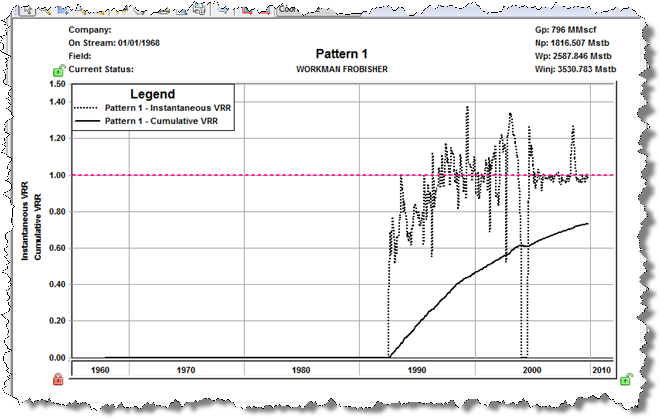
The Instantaneous VRR and Cumulative VRR datasets are displayed on the worksheet.
Note: If the VRR analysis does not open on the plot, double-click the error messages in the Status Window to jump to the Properties Editor, where you can enter the data that is missing.
