Creating a CBM Material Balance Analysis
To create a CBM material balance analysis:
1. Launch an entity for analysis.
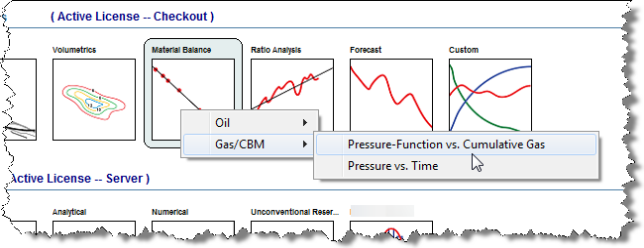
2. Click the Material Balance thumbnail; then select a worksheet under the Gas / CBM menu.
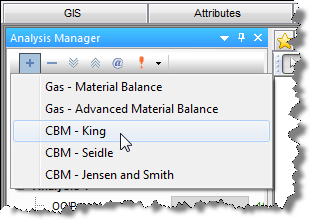
3. Add one of the CBM analysis types to the worksheet: CBM - King, CBM - Seidle, or CBM - Jensen and Smith. See Adding an Analysis for details.
Note: If no letters are displayed on the plot, then either production data and static pressures are missing, or there is an error in the analysis that will be displayed in the Status Window. If production data is not present, import some well data. If static (shut-in) pressures are not present, enter static pressures.
4. Best fit the analysis to the data by doing one of the following:
Note: On a p/Z plot, the analysis trend is linear and the line can be manipulated manually, or by changing point selection for the best fit. On a Pressure vs. Time plot, the analysis is not a linear trend, and the only way to manipulate the analysis is through point selection.